


SafeLog
4.447.00 Reviews
App Specs
- Version
- 1.4.3
- Updated On
- License
- Free
- Downloads
- 1,000,000+
- Developer
- NextByte Software FZ-LLC
- Categories
- Parenting
- Platform
- Android, iOS
Screenshots

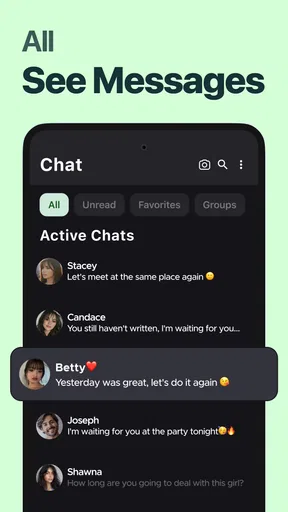
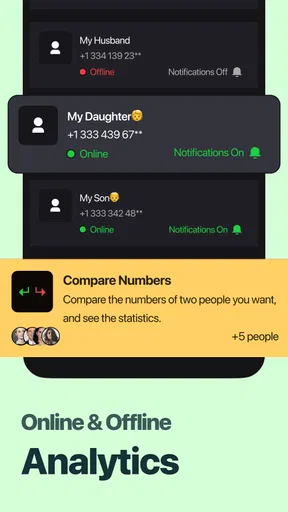

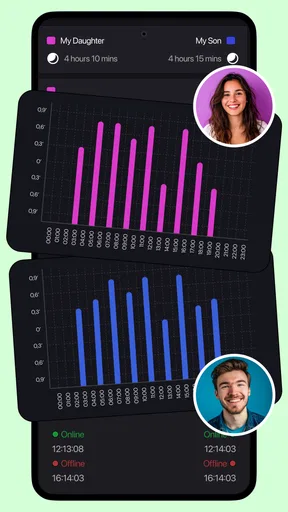
 Analysis by AppCompare
Before relying on any new parenting app, I want to know what a first useful day with it might actually look like. SafeLog is a free parenting app from NextByte Software FZ-LLC, and its focus is receiving detailed reports and notifications. That makes it most relevant to parents who want information delivered in an organized way, rather than another place to browse general parenting advice. I would approach it as a practical support tool: useful when its reports fit a family’s routine, but not a substitute for direct communication or urgent help.
What to expect from a report-focused app
The first question I would ask is what I want to keep track of and what kind of update would genuinely help me. Reports and notifications can be valuable when they reduce uncertainty, but only if the information is relevant and arrives at a useful time. I would begin with one clear goal—such as staying informed about a regular part of family life—rather than expecting the app to solve every parenting challenge at once.
That distinction matters when comparing SafeLog with common alternatives. A shared calendar is better for appointments and plans that adults enter themselves; a messaging group is better for quick conversation; and a notebook may suit someone who prefers to record information privately and review it at their own pace. SafeLog’s appeal is its emphasis on reports and alerts. I would choose it when receiving structured updates is more useful than maintaining another manual list, while keeping other tools for tasks they handle better.
It is also worth setting expectations about notifications before making them part of a daily routine. An alert is helpful only if I know what it concerns and can act on it. I would check the app’s available settings during setup, decide which updates deserve attention, and avoid treating every notification as an emergency. That simple boundary can make an information-focused app feel supportive instead of intrusive.
Making the first setup feel manageable
For a first-time user, I would take the setup one screen at a time and read each prompt before moving on. The aim is not to fill in every possible detail immediately; it is to get the app into a state where its reports can serve a real purpose. If SafeLog asks for family or routine information, I would enter only what is needed to get started and revisit the rest once I understand how the app presents updates.
Because this is a parenting tool, I would also think about who else may be involved. If another caregiver is part of the routine, agree first on what information each person needs and who will respond to an alert. That small conversation avoids a common problem with shared family tools: two people assume the other has seen an update, or both react to the same one. The app can support coordination, but a clear household habit still does the work.
SafeLog is free to install, with optional in-app purchases listed from $2.99 to $8.99 per item. I would start with the free experience and decide whether anything beyond it is useful only after I have tried the basic workflow. That is a sensible way to judge value: pay for a specific benefit you understand, not because you assume a paid option is required to make the app useful.
Worth Reading Before You Choose

Flipboard Shows What News Apps Must Do Beyond the Feed

Switching to Android Auto Means Rethinking Your Driving Routine

Google Calendar Makes a Crowded Week Easier to Manage

Ludo King Makes the Most of the Minutes Between Plans

Baby Panda World Brings Quick Play to Modern Phones, but Its Game Library Feels Busy

ESPN’s Live Game View Makes Following Close Games Easier
The first useful action: turn an alert into a routine
A realistic first success might be receiving a report, reading it at a calm moment, and deciding what—if anything—needs follow-up. For example, a parent juggling work and school pickup could check an update before leaving, then use it to prepare a question for the other caregiver later. The useful result is not simply seeing a notification; it is turning relevant information into a small, clear next step without interrupting the whole day.
My practical tip is to choose a regular time to review non-urgent reports instead of opening the app every time the phone lights up. If an alert needs immediate attention, respond appropriately; otherwise, a planned check-in can reduce distraction and make it easier to notice patterns. This is a trade-off: fewer interruptions may mean you see routine information later, so the notification choices should match how quickly you truly need to know.
Who will get the most from it—and who may not
I can see SafeLog fitting parents who value concise, organized updates and want a dedicated place for them. It may also suit caregivers who are trying to coordinate a recurring routine, especially when a report is easier to review than a long chat thread. The app has an Everyone content rating, an average rating of 4.4 from around 167,000 ratings, and more than a million installs, which suggests it has reached a broad audience; those figures are context, not a guarantee that its approach will suit every household.
I would skip it, or at least avoid making it the family’s main system, if what I really need is a shared calendar, open-ended conversation, or a complete manual log. Those tools give more direct control over planning and discussion. I would also be cautious if frequent phone alerts already add stress at home. In that case, a low-tech routine or a tool with notification controls that match your preferences may be a better fit than adding another stream of updates.
Privacy deserves a deliberate check whenever an app is used for family information. I would review the app’s own privacy details and settings before entering anything sensitive, and I would avoid putting information into any digital service unless I am comfortable with how it is handled. A parenting app can make updates easier to manage, but convenience should not replace a thoughtful decision about what the family chooses to share.
Getting Started with SafeLog
First things first, downloading SafeLog was a breeze. It's available for both Android and iOS, making it super accessible. As soon as I opened the app, I was greeted with a clean and intuitive interface. Everything was right where I expected it to be, which was a pleasant surprise. No need to dig around to find what I needed.
The setup was straightforward. I was prompted to create an account, which took less than a minute. Once logged in, I was ready to explore the app's features. SafeLog is designed to keep your personal data secure, and that's exactly what it promises from the get-go.
Features That Stand Out
One of the key features that caught my eye was the app's ability to store a variety of information securely. From passwords to personal notes, everything is encrypted. I felt a sense of relief knowing my data was safe from prying eyes.
- Password Manager: This feature is a lifesaver. It securely stores all my passwords and even suggests strong passwords when needed. It's like having a personal security expert right in my pocket.
- Secure Notes: I loved this feature for jotting down sensitive information. Whether it’s a code, a private thought, or anything else, I know it’s safe here.
- Multi-Device Sync: Being able to sync across devices is a game-changer. I can access my information anytime and anywhere, which is super convenient.
What Makes SafeLog Special?
One word: security. The app uses top-notch encryption, which means my data is practically in a vault. Plus, it has biometric authentication, adding an extra layer of security. It's reassuring to know that even if someone gets hold of my phone, they won't get hold of my data.
Another aspect that I appreciated was the app's user-friendly design. It's simple yet powerful. The learning curve is practically non-existent, which is perfect when you just want things to work without having to think too hard about it.
Daily Use and Experience
Using SafeLog daily has become second nature to me. I love that it feels lightweight, not bogging down my phone's performance. The app runs smoothly, and I haven’t encountered any bugs or glitches. Everything just works seamlessly.
One thing that really stood out to me was the customer support. I had a small query about one of the features, and the response was prompt and helpful. It's nice to know that if I ever run into an issue, there's a team ready to help me out.
Getting a routine ready for the next step
Once I had a basic feel for the app, I would resist the temptation to add every detail at once. A better next step is to use it consistently for one routine, then ask whether the reports are clear enough to change what I do. If they are, keep that workflow. If I find myself checking without learning anything useful, I would adjust the habit or rely on a simpler tool instead. That is a more meaningful test than judging a parenting app by how many screens it offers.
SafeLog is listed for Android with a minimum operating-system requirement of version 8.0, and its current version is 1.4.3. I would check compatibility before installing on an older device, then make sure the phone used for important updates is one the caregiver actually checks. A well-organized alert system is only useful if it reaches the person who can respond; for that reason, agreeing on a primary reviewer and a backup is a practical household safeguard.
One possible point of confusion is the difference between an alert and a complete picture. A notification can draw attention to a report, but it may not answer every question or explain what to do next. I would open the relevant report rather than infer details from a short alert, and I would confirm anything important with the person involved. This prevents the app from becoming a source of assumptions, especially when several caregivers interpret the same update differently.
For families who share responsibilities, a useful workflow is to decide in advance what counts as “seen,” what needs a reply, and what can wait until the next check-in. That can be as simple as acknowledging an important update directly rather than assuming another person has read it. The app can make information easier to receive; a small communication rule makes it easier to act on reliably.
Where I would draw the line
I would not use any report or notification as a replacement for urgent contact, professional advice, or a conversation that needs nuance. If a situation is time-sensitive, use the direct channel that can reach the right person fastest. Similarly, if the family needs a detailed record designed around custom fields or long-form notes, I would compare dedicated logging options rather than assume a report-centered parenting app will cover that need.
Another sensible check is whether the app’s alerts are helping the adults involved feel informed or simply creating more phone traffic. If the latter happens, scale back the habit: review routine updates at a set time, keep only genuinely useful notifications enabled, and clarify who owns follow-up. I find that this kind of boundary is often more important than adding more information, because it keeps a helpful tool from becoming another source of low-level stress.
Final Thoughts
If you're in the market for an app that prioritizes your data security while being incredibly easy to use, SafeLog is worth checking out. It's like having a digital safe, but better because it's always with you. I genuinely can’t imagine going back to my old ways of storing passwords and sensitive information.
In a world where data breaches are becoming increasingly common, having an app like SafeLog is not just a convenience—it's a necessity. So, why not give it a try? You might just find it to be that indispensable tool you didn’t know you needed.
Pros
- User-friendly interface for easy navigation.
- Strong encryption ensures data security.
- Supports multiple device sync.
- Customizable alert settings.
- Offline access to logs.
Cons
- Limited free version features.
- Occasional sync delays.
- No dark mode available.
- Requires frequent updates.
- Lacks integration with third-party apps.
FAQs for SafeLog
What is SafeLog and what does it do?
SafeLog is a secure digital logging application designed to keep your personal data and information safe. It allows users to store passwords, confidential notes, and other sensitive details in an encrypted format. The app provides a user-friendly interface and advanced security features, ensuring that your data remains private and protected.
How secure is SafeLog for storing sensitive information?
SafeLog employs advanced encryption technologies to ensure maximum security of your data. It uses end-to-end encryption, which means your information is encrypted on your device and remains encrypted while stored. Additionally, the app supports two-factor authentication to add an extra layer of security to your account.
Is SafeLog compatible with both Android and iOS devices?
Yes, SafeLog is available for both Android and iOS platforms. It is optimized to work seamlessly on a wide range of devices, ensuring a consistent user experience whether you are using a smartphone or a tablet. You can download it from the Google Play Store or the Apple App Store.
Does SafeLog offer cloud synchronization for data backup?
SafeLog provides an option for cloud synchronization, allowing you to back up your data securely. This feature ensures that you can access your information across multiple devices or restore it if you lose your device. You have the choice to use popular cloud services integrated within the app for added convenience.
What are the potential limitations or drawbacks of using SafeLog?
While SafeLog offers robust security features, some users may find the setup process for advanced security options like two-factor authentication a bit complex. Additionally, there might be a subscription fee for accessing premium features such as additional cloud storage or multi-device support, which could be a consideration for budget-conscious users.


